
Why Time Management Is Broken for Modern Professionals
If you constantly feel busy but not productive, you’re not alone.
Modern professionals juggle emails, meetings, deadlines, notifications, client requests, admin work, and personal tasks — often across multiple tools and platforms. The problem isn’t lack of discipline. It’s too much manual work in a world that can be automated.
The hidden cost of manual work
Every small task — replying to emails, scheduling meetings, updating task lists, copying data — steals minutes. Over a week, those minutes turn into hours. Over a year, they turn into burnout.
Why “working harder” no longer works
Traditional time management advice focuses on doing more in less time. But real productivity today comes from doing less manual work altogether. That’s where time management automation changes the game.
What Is Time Management Automation?
Time management automation means using technology and AI to handle repetitive, low-value tasks automatically, so your time is reserved for thinking, creating, and decision-making.
Automation vs delegation
Delegation hands tasks to people. Automation hands tasks to systems. Automation is faster, cheaper, scalable, and works 24/7 — especially for predictable workflows.
Where automation delivers the biggest ROI
-
Repetitive daily tasks
-
Scheduling and reminders
-
Data entry and reporting
-
Communication workflows
-
Task prioritization
If you repeat something more than twice a week, it’s a strong candidate for automation.

Top Time Management Automation Hacks That Actually Work
Automate task capture and prioritization
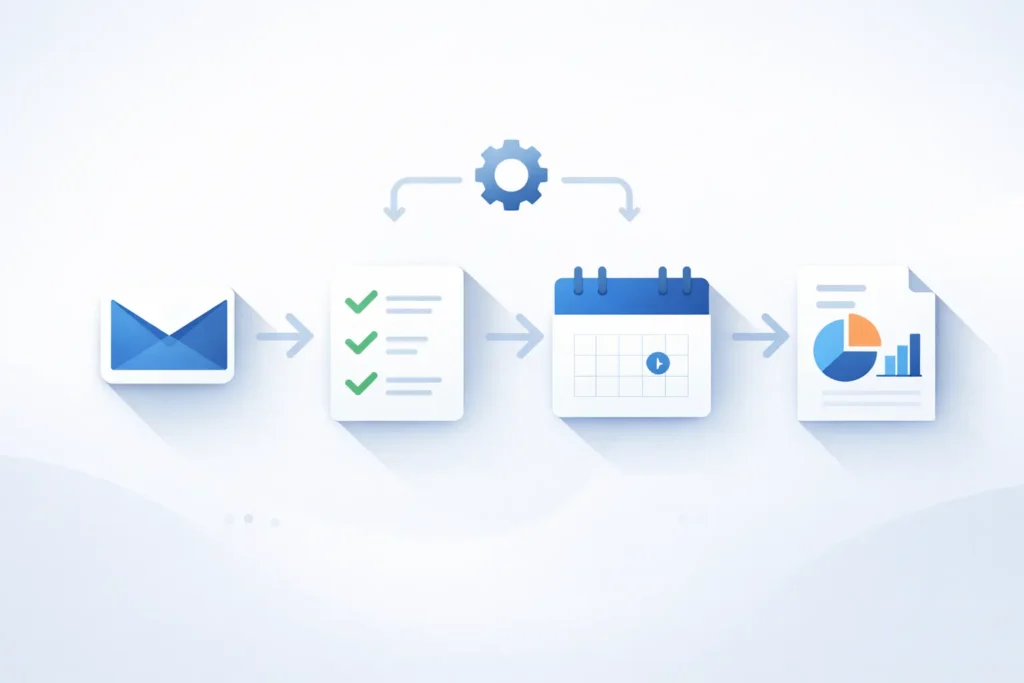
Instead of manually writing to-do lists, automate task capture from emails, messages, and notes.
Example hacks:
-
Automatically convert starred emails into tasks
-
Sync voice notes into your task manager
-
Use AI to prioritize tasks based on urgency and deadlines
This eliminates decision fatigue and ensures nothing slips through the cracks.
Calendar and meeting automation
Meetings are one of the biggest time killers.
Automation ideas:
-
Auto-scheduling tools that eliminate back-and-forth emails
-
Automatic calendar blocking for deep work
-
AI-generated meeting summaries and action items
Result: fewer meetings, shorter meetings, and zero manual note-taking.
Email and communication automation
Most professionals spend hours daily managing inboxes.
Smart automation includes:
-
Email templates for common replies
-
Auto-labeling and filtering emails
-
AI-generated draft responses
-
Scheduled follow-ups
This alone can save 5–7 hours per week.
Workflow automation for recurring work
Recurring tasks should never be done manually.
Examples:
-
Automatically generate weekly reports
-
Trigger reminders when tasks are overdue
-
Sync data between tools without copying
This is where no-code automation tools shine, especially for marketers, freelancers, and remote teams.
AI-powered decision support
AI doesn’t just automate tasks — it helps you decide faster.
Use AI to:
-
Summarize long documents
-
Analyze performance data
-
Suggest next actions
-
Optimize daily schedules
Faster decisions = more mental energy saved.
Best Automation Tools for Busy Professionals
No-code and low-code automation tools
These tools connect your apps and automate workflows without coding:
-
Task triggers
-
App-to-app data syncing
-
Scheduled automations
Perfect for non-technical professionals.
AI productivity assistants
AI tools now act as personal productivity copilots:
-
Draft emails and documents
-
Summarize meetings
-
Plan daily tasks
-
Generate insights
Instead of managing tools, you manage outcomes.
Project and task management tools
Modern task managers now include:
-
Automation rules
-
AI task prioritization
-
Smart reminders
Choose tools that reduce thinking, not add complexity.
Real-World Examples: How Professionals Save 10+ Hours a Week
Marketers and campaign automation
Marketers automate reporting, ad performance tracking, and content scheduling — freeing time for strategy and creativity.
Freelancers and client workflows
Freelancers automate proposals, invoices, follow-ups, and onboarding — spending more time delivering value instead of admin work.
Remote professionals and async work
Remote workers automate updates, documentation, and task handoffs — reducing meetings and increasing focus.
How to Start Automating Without Overcomplicating
The 80/20 rule of automation
Start with:
-
Tasks you hate doing
-
Tasks you repeat often
-
Tasks that don’t require judgment
Automate one workflow at a time.
Common mistakes to avoid
-
Automating broken processes
-
Using too many tools
-
Overengineering simple tasks
Automation should simplify your life, not turn into another job.
The Future of Time Management: AI-First Workflows
The future isn’t about better to-do lists. It’s about intelligent systems that manage work for you.
AI-first workflows will:
-
Predict priorities
-
Optimize schedules automatically
-
Reduce manual input to near zero
Professionals who adopt automation early will work fewer hours and produce better results.
Conclusion
Time is your most valuable asset. Managing it manually in 2026 is like doing math without a calculator.
Time management automation isn’t about being lazy — it’s about being intentional.
Start small. Automate one workflow. Then another.
The compound effect will change how you work forever.
👉 For more insights on productivity, automation, and digital workflows, explore more articles on nhossain.com.